Google Mobile Ads Blog: Moving the mobile conversation to the Inside AdWor...: Posted by: Google Mobile Ads Team There’s a lot to say about mobile! In today’s multi-screen world, mobile is a part of everything we do...
OTHERSCONTENT

Custom Search
Showing posts with label Google Mobile Ads Blog. Show all posts
Showing posts with label Google Mobile Ads Blog. Show all posts
Tuesday, 4 March 2014

Tuesday, 16 July 2013
Google Mobile Ads Blog: Introducing the Google Databoard: A new way to exp...
Google Mobile Ads Blog: Introducing the Google Databoard: A new way to exp...: Posted by Adam Grunewald, Mobile marketing manager
It’s important for businesses to stay up to date about the most recent research and insights related to their industry. Unfortunately -- with so many new studies and with data being updated so often -- it can difficult to keep up. To make life a bit easier, we created the Databoard for Research Insights, which allows people to explore and interact with some of Google’s recent research in a unique and immersive way.
The Databoard is our response to three big challenges facing the vast majority of research released today.
1. Ease of consumption: The databoard introduces a new way of sharing data, with all of the information presented in a simple and beautiful way. Users can explore an entire study or jump straight to the topics or datapoints that they care about. The Databoard is also optimized for all devices so you can comfortably explore the research on your computer, tablet, or smartphone.
2. Shareability: Most people, when they find a compelling piece of data, want to share it! Whether its with a colleague, client, or a community on a blog or social network, compelling insights and data are meant to be shared. The databoard is designed for shareability, allowing users to share individual charts and insights or collections of data with anyone through email or social networks.
3. A cohesive story: Most research studies set out to answer a specific question, like how people use their smartphones in store, or how a specific type of consumer shops. This means that businesses need to look across multiple pieces of research to craft a comprehensive business or marketing strategy. To address this need, the Databoard allows users to curate a customized infographic out of the charts or data points you find important across multiple Google research studies. Creating an infographic is quick and easy, and you can share the finished product with your friends or colleagues.
Wednesday, 3 July 2013
Google Mobile Ads Blog: Upgrade to enhanced campaigns more easily with the...
Google Mobile Ads Blog: Upgrade to enhanced campaigns more easily with the...: Enhanced campaigns help you reach people with the right ads based on their context - including location, time of day and device - without having to set up and manage several separate campaigns. For most advertisers, upgrading is a simple 3-step process. Already, advertisers have upgraded more than 1.5 million campaigns and seen strong results.
New upgrade center
Today we're introducing the upgrade center to make upgrading easier for advertisers with lots of campaigns. With the upgrade center, you can upgrade several campaigns at a time and merge campaigns together with just a few clicks. As the upgrade center rolls out to all accounts over the next few weeks, you can access it from the left-hand nav bar on the Campaigns tab. Learn more.

There are two basic ways to use the upgrade center.
1. Bulk upgrade
This option provides a fast way to upgrade multiple campaigns that don’t need to be merged. Rather than upgrade campaigns one at a time, you can select several campaigns, choose a mobile bid adjustment, view traffic estimates, and upgrade with fewer clicks.
2. Merge and upgrade
If you have search-only or search+display campaigns that have similar keywords and location targets, the upgrade center automatically identifies them as candidates to merge. You’ll then be able to preview and adjust the proposed campaign settings, ad groups, and extensions for the merged campaign. By default, ad groups and budgets will be combined. Other campaign level settings and extensions in the Primary campaign will override those in the Secondary campaign.

After creating new enhanced campaigns, we recommend upgrading your extensions for more control, flexibility and relevance. You may also want to add back any important keywords, negatives, extensions, or location targets from your Secondary campaign which were left behind in the merge.
We recommend upgrading display-only campaigns rather than merging them together. The upgrade tool doesn't support the ability to merge image ads, audience targeting criteria, and other display-specific campaign elements.
There’s also an advanced mode in the upgrade center, which provides a view of all of the campaigns in your account, providing more flexibility and less guidance if you’ve already developed a strategy for how to merge and upgrade.
New upgrade center
Today we're introducing the upgrade center to make upgrading easier for advertisers with lots of campaigns. With the upgrade center, you can upgrade several campaigns at a time and merge campaigns together with just a few clicks. As the upgrade center rolls out to all accounts over the next few weeks, you can access it from the left-hand nav bar on the Campaigns tab. Learn more.

Upgrade center entry point
There are two basic ways to use the upgrade center.
1. Bulk upgrade
This option provides a fast way to upgrade multiple campaigns that don’t need to be merged. Rather than upgrade campaigns one at a time, you can select several campaigns, choose a mobile bid adjustment, view traffic estimates, and upgrade with fewer clicks.
2. Merge and upgrade
If you have search-only or search+display campaigns that have similar keywords and location targets, the upgrade center automatically identifies them as candidates to merge. You’ll then be able to preview and adjust the proposed campaign settings, ad groups, and extensions for the merged campaign. By default, ad groups and budgets will be combined. Other campaign level settings and extensions in the Primary campaign will override those in the Secondary campaign.

Table view of merged campaign settings
After creating new enhanced campaigns, we recommend upgrading your extensions for more control, flexibility and relevance. You may also want to add back any important keywords, negatives, extensions, or location targets from your Secondary campaign which were left behind in the merge.
We recommend upgrading display-only campaigns rather than merging them together. The upgrade tool doesn't support the ability to merge image ads, audience targeting criteria, and other display-specific campaign elements.
There’s also an advanced mode in the upgrade center, which provides a view of all of the campaigns in your account, providing more flexibility and less guidance if you’ve already developed a strategy for how to merge and upgrade.
Google Mobile Ads Blog: The Full Value of Mobile: New calculator and resou...
Google Mobile Ads Blog: The Full Value of Mobile: New calculator and resou...: We live in a world of constant connectivity, where mobility is bridging the digital and physical worlds. With smartphones in hand, people are taking a variety of online and offline actions, like calling a business, downloading an app, looking for directions to a store, or starting research that leads to a purchase on another device. We’re working hard to account for these new paths to purchase in AdWords, like the recent addition of calls as conversions to AdWords reporting. Still, with more work to be done to improve measurement tools, most marketers still account only for sales happening on a mobile site and aren’t seeing the full picture. Today we’re introducing the Full Value of Mobile initiative to help marketers begin this discussion and better understand mobile’s impact online and offline.
This new consumer behavior is now the norm, with a recent study showing that nearly three of ten mobile searches result in visiting a store, calling a business, or making a purchase online. Some smart marketers are already investing in understanding how mobile drives sales through these new customer paths. For example, adidas, in partnership with their agency iProspect, felt that mobile was converting in ways beyond their mobile website, so they created a simple yet powerful attribution model to understand how mobile is driving customers into stores. As a result, adidas found that each click on their store locator button was worth $3.20, which has changed the way they view their digital investment. See their full case study here.
While savvy marketers like adidas are already defining the full value of mobile, most marketers have struggled to get started. To help marketers better understand mobile attribution, we’re launching the Full Value of Mobile initiative, which includes:
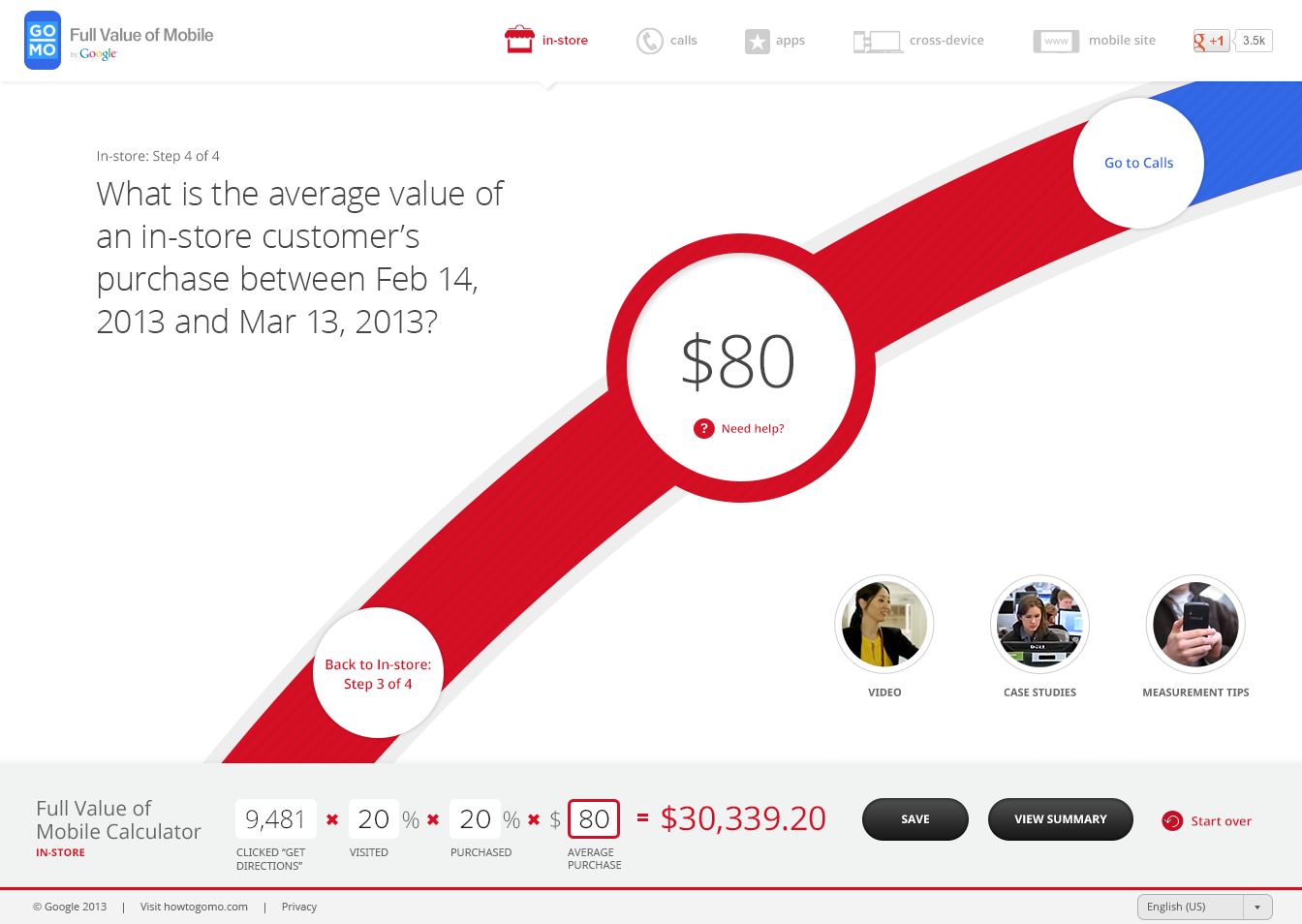
The Full Value of Mobile Calculator provides simple equations and benchmarks to help you estimate of the value that mobile drives for your business through calls, apps, in-store, mobile site and cross-device. In about 30 minutes, you can follow the step-by-step wizard to upload data from AdWords and your mobile website, and make some key assumptions to create your Full Value of Mobile estimate. Through the exercise, you’ll see the total value, value per click, and ROI that mobile is driving for your business across all mobile customer paths, not just your mobile website. You’ll also see how cost-effective your mobile CPAs are.
This new consumer behavior is now the norm, with a recent study showing that nearly three of ten mobile searches result in visiting a store, calling a business, or making a purchase online. Some smart marketers are already investing in understanding how mobile drives sales through these new customer paths. For example, adidas, in partnership with their agency iProspect, felt that mobile was converting in ways beyond their mobile website, so they created a simple yet powerful attribution model to understand how mobile is driving customers into stores. As a result, adidas found that each click on their store locator button was worth $3.20, which has changed the way they view their digital investment. See their full case study here.
While savvy marketers like adidas are already defining the full value of mobile, most marketers have struggled to get started. To help marketers better understand mobile attribution, we’re launching the Full Value of Mobile initiative, which includes:
- A calculator tool
- Videos that illustrate each mobile conversion path
- Case studies highlighting successful mobile strategies
- Tips for measurement
The Full Value of Mobile Calculator provides simple equations and benchmarks to help you estimate of the value that mobile drives for your business through calls, apps, in-store, mobile site and cross-device. In about 30 minutes, you can follow the step-by-step wizard to upload data from AdWords and your mobile website, and make some key assumptions to create your Full Value of Mobile estimate. Through the exercise, you’ll see the total value, value per click, and ROI that mobile is driving for your business across all mobile customer paths, not just your mobile website. You’ll also see how cost-effective your mobile CPAs are.
We hope the Full Value of Mobile Calculator helps marketers begin to investigate mobile’s impact online and offline, whether they use it as a directional estimate of mobile’s value or to spark ideas on how to build deeper and more customized models. To learn more about the Full Value of Mobile and how to use the calculator, please join us for a webinar on March 28 at 1pm EDT. You can sign up here.
Google Mobile Ads Blog: Enhanced campaigns for display: Powerful bidding t...
Google Mobile Ads Blog: Enhanced campaigns for display: Powerful bidding t...: Last month we announced enhanced campaigns to help advertisers more simply and scalably reach their customers in a multi-screen world. Today, we’ll look more closely at how enhanced campaigns work with your display campaigns.
Why Enhanced Campaigns For Display
In this constantly connected world, our customers are accessing information across multiple devices, and might look at 10 different sources - online reviews, newspaper and magazine articles, recommendations from friends and more - before making a purchase. Display advertising captures these signals and is an important part of connecting with consumers in this multi-screen world. But determining the best way to reach the right person with the right ad is more complex than ever. Enhanced campaigns for display help you reach people with the right ads, based on people’s context like their location, time of day and device type -- all from a single campaign.
Key Features
Search and display use very different signals. In search, we use keywords to capture users’ intent. For instance, a travel booking website knows that a user searching for ‘Rome Vacation Packages’ is looking for a vacation in Rome. In Display campaigns, advertisers use a variety of other signals to reach their target customers with the right ad. In this example, a travel website may use:
Why Enhanced Campaigns For Display
In this constantly connected world, our customers are accessing information across multiple devices, and might look at 10 different sources - online reviews, newspaper and magazine articles, recommendations from friends and more - before making a purchase. Display advertising captures these signals and is an important part of connecting with consumers in this multi-screen world. But determining the best way to reach the right person with the right ad is more complex than ever. Enhanced campaigns for display help you reach people with the right ads, based on people’s context like their location, time of day and device type -- all from a single campaign.
Key Features
Search and display use very different signals. In search, we use keywords to capture users’ intent. For instance, a travel booking website knows that a user searching for ‘Rome Vacation Packages’ is looking for a vacation in Rome. In Display campaigns, advertisers use a variety of other signals to reach their target customers with the right ad. In this example, a travel website may use:
- Interest Categories: to reach customers interested in “Rome”
- Demographics: to reach people 35-44, who have historically spent 3x the average
- Topic Targeting: to reach people browsing travel websites
- Remarketing: to reach customers who booked a vacation with them last year
- Time of day: Travelers typically book between 9am and 6pm
- Location: “People in the US” who may convert more often than people in Italy
- Device: Mobile users tend to browse on their smartphones, then book on their desktop
Tuesday, 2 July 2013
Google Mobile Ads Blog: Bidding Best Practices (Part 3) - Calculating mobi...
Google Mobile Ads Blog: Bidding Best Practices (Part 3) - Calculating mobi...: Today’s post about calculating mobile bid adjustments is the third in a bidding best practices series. The previous post covered improving your results with location bid adjustments.
People are now constantly connected and switching seamlessly between devices. In fact, more than 38% of our daily media interactions occur on mobile1. This presents advertisers with new opportunities to reach customers anytime, anyplace, on any device. At Google, we want to help you capitalize on these opportunities and develop new strategies for your business to win on mobile.
Mobile bid adjustments in AdWords enhanced campaigns give advertisers the power to optimize bids across devices — all from a single campaign. In today’s post, we’ll help you understand how to calculate a mobile bid adjustment that accounts for the total conversion value your mobile ads drive for your business.
Review your current desktop and mobile performance
Before calculating your mobile bid adjustment, you can run an AdWords report to review your current desktop and mobile performance. While online conversions, app downloads, and calls are easy to track in AdWords, other conversions such as in-store visits may be harder to attribute directly to your ads. For those conversions, you may need to estimate their value. The closer you can estimate the value of these conversions, the more optimized your bid will be on mobile.
Calculate your mobile bid adjustment
The key to optimizing your mobile bid adjustment is to identify the ratio of mobile vs desktop (and tablet) conversion value. This is calculated by dividing your value per click on mobile by your value per click on desktop.

We’ll illustrate this calculation using the table below. Let’s say this data belongs to a national retailer with mobile and desktop websites as well as physical stores. In the past month, this retailer saw 10,000 clicks from her mobile ads and 10,000 clicks from her desktop and tablet ads. Her mobile ads drove $900 of revenue from phone calls to her stores, $5,000 from online sales and $5,000 from in-store visits for a total of $10,900. During this same month, her desktop and tablet ads drove $100 of revenue from calls, $10,000 from online sales, and $2,000 from in-store visits for a total of $12,100.

With this information, the retailer calculates the value per click (for mobile and desktop) by dividing the total value (i.e., the total revenue from all conversion types) by the total number of clicks, respectively. In this case, the mobile value per click is $1.09 and the desktop value per click is $1.21.
The retailer’s mobile bid adjustment is the ratio of these two values: she divides the value per click on mobile by the value per click on desktop and then subtracts 1. In this case we have (1.09/1.21) - 1, or a -10% mobile bid adjustment that can be entered into AdWords.
Iterate and test
As with all online marketing techniques, mobile bid adjustments aren’t something you should just “set and forget.” Frequent iteration and testing will help you account for changes in seasonality or business operations. Due to varying screen sizes on mobile, we also recommend that you keep a close eye on your mobile impression share so that your ads show in the top positions.
Learn more
To learn more about mobile bid adjustments, visit the AdWords Help Center or watch this recording of this hangout on air, “Enhanced Campaigns: Optimizing Mobile Strategy.”
To use mobile bid adjustments, you’ll need to upgrade your campaigns to enhanced campaigns. Starting on July 22, 2013, we will begin automatically upgrading all campaigns.
People are now constantly connected and switching seamlessly between devices. In fact, more than 38% of our daily media interactions occur on mobile1. This presents advertisers with new opportunities to reach customers anytime, anyplace, on any device. At Google, we want to help you capitalize on these opportunities and develop new strategies for your business to win on mobile.
Mobile bid adjustments in AdWords enhanced campaigns give advertisers the power to optimize bids across devices — all from a single campaign. In today’s post, we’ll help you understand how to calculate a mobile bid adjustment that accounts for the total conversion value your mobile ads drive for your business.
Review your current desktop and mobile performance
Before calculating your mobile bid adjustment, you can run an AdWords report to review your current desktop and mobile performance. While online conversions, app downloads, and calls are easy to track in AdWords, other conversions such as in-store visits may be harder to attribute directly to your ads. For those conversions, you may need to estimate their value. The closer you can estimate the value of these conversions, the more optimized your bid will be on mobile.
Calculate your mobile bid adjustment
The key to optimizing your mobile bid adjustment is to identify the ratio of mobile vs desktop (and tablet) conversion value. This is calculated by dividing your value per click on mobile by your value per click on desktop.
With this information, the retailer calculates the value per click (for mobile and desktop) by dividing the total value (i.e., the total revenue from all conversion types) by the total number of clicks, respectively. In this case, the mobile value per click is $1.09 and the desktop value per click is $1.21.
The retailer’s mobile bid adjustment is the ratio of these two values: she divides the value per click on mobile by the value per click on desktop and then subtracts 1. In this case we have (1.09/1.21) - 1, or a -10% mobile bid adjustment that can be entered into AdWords.
Iterate and test
As with all online marketing techniques, mobile bid adjustments aren’t something you should just “set and forget.” Frequent iteration and testing will help you account for changes in seasonality or business operations. Due to varying screen sizes on mobile, we also recommend that you keep a close eye on your mobile impression share so that your ads show in the top positions.
Learn more
To learn more about mobile bid adjustments, visit the AdWords Help Center or watch this recording of this hangout on air, “Enhanced Campaigns: Optimizing Mobile Strategy.”
To use mobile bid adjustments, you’ll need to upgrade your campaigns to enhanced campaigns. Starting on July 22, 2013, we will begin automatically upgrading all campaigns.
Google Mobile Ads Blog: ‘Hill Climb Racing’ grows from an app into a busin...
Google Mobile Ads Blog: ‘Hill Climb Racing’ grows from an app into a busin...: Toni Fingerroos, a games developer in Finland, became inspired to create a mobile app. He devoted 3 months to building it, often working 16 hour days. That idea became the hugely popularHill Climb Racing, and the game has grown to be part of a successful app business called Fingersoft.
Hill Climb Racing has been downloaded in over 145 countries on both iOS and Android. AdMob consistently generates nearly 100% ad fill rates and enables Toni to monetize the game on a global scale. He uses AdMob house ads to promote his app too.
“Hill Climb Racing has over 60 million downloads. About 40% [of the revenue] comes from advertisements, and AdMob is our cornerstone,” says Toni. Hear more about Toni’s story in the video below.
Download the PDF version of the case study here.
Posted by Mike Schipper, Product Marketing Manager, AdMob
Hill Climb Racing has been downloaded in over 145 countries on both iOS and Android. AdMob consistently generates nearly 100% ad fill rates and enables Toni to monetize the game on a global scale. He uses AdMob house ads to promote his app too.
“Hill Climb Racing has over 60 million downloads. About 40% [of the revenue] comes from advertisements, and AdMob is our cornerstone,” says Toni. Hear more about Toni’s story in the video below.
Download the PDF version of the case study here.
Posted by Mike Schipper, Product Marketing Manager, AdMob
Monday, 1 July 2013
Google Mobile Ads Blog: Introducing a new AdMob: Improved tools to help ap...
Google Mobile Ads Blog: Introducing a new AdMob: Improved tools to help ap...: We’re committed to helping app developers with discovery, distribution and monetization on all platforms so they can continue doing what they do best: creating awesome apps. Last year, we integrated our AdMob inventory into the AdWords system, giving mobile app developers access to many more new advertisers. And we’ve continued to invest in tools to help app developers succeed.
Starting today, we’ll begin rolling out the new AdMob to our developers. We expect it to be available for all of our developers globally in the coming months. If you’re an AdMob developer, you’ll see a notice in your account asking you to upgrade to the new AdMob.
Today at I/O, we’re announcing that we’ve rebuilt AdMob, incorporating the best technology from our other ad platforms, like AdSense. It’s a particularly great tool to help small mobile app developers grow their business.
Starting today, we’ll begin rolling out the new AdMob to our developers. We expect it to be available for all of our developers globally in the coming months. If you’re an AdMob developer, you’ll see a notice in your account asking you to upgrade to the new AdMob.
With the new AdMob, some of the features available are:
- Smarter app promotion: Conversion Optimizer helps many AdWords advertisers increase conversions while decreasing cost per acquisition. We’re now bringing Conversion Optimizer to app developers using AdMob to promote their apps, so they can get the best possible number of installs for their budget. Choose a target cost per acquisition for each download, and Conversion Optimizer will show ads when they are most likely to lead to an install.
- Robust ad filters: Ensuring that your app is showing quality, relevant ads is important for app developers. Now, developers will have more control over which ads appear in their apps, by blocking sensitive categories, so they can increase relevancy and protect their brand.
- Maximized earnings: If developers want to show ads in their apps from more than one ad network, they can use AdMob Mediation with a new, simplified setup.
- Local payments: We’re introducing local currency payments, so developers don’t need to spend time calculating currency conversions and organizing money transfers.
- Intelligent reports: The new reporting interface enables app developers to slice the data in many ways with multi-dimensional reports that help them identify opportunities to grow. They can break down their reports over time by app or ad unit, platform, country, bid type, and more.
If a developer is just starting out, AdMob can connect them to more than a million advertisers globally, providing a consistent source of advertising revenue which can grow as their downloads take off.
Google Mobile Ads Blog: Bidding Best Practices (Part 4): Setting your bid ...
Google Mobile Ads Blog: Bidding Best Practices (Part 4): Setting your bid ...: Today’s post will provide guidance on using time bid adjustments. It is the fourth post in a bidding best practices series. Previous posts covered optimization strategies for setting location and mobilebid adjustments as well as prioritization.
In our constantly connected world, people are searching on multiple devices throughout the day for places to go, things to buy, and ways to stay entertained. People often use similar search results in different ways depending on the time of day that they search. For example, if someone is searching for “Hawaii vacations” during the workday, she may just be doing research for an upcoming trip. When she returns home and conducts the same search in the evening, she may be more likely to have all the info she needs to book the flights and hotels.
With this constant connectivity, search marketers can now receive web traffic from across the globe and around the clock. Most businesses can still identify peak days and times when they see better ROI and lower costs. At other times, customer activity might be slower and some businesses may wish to drive additional visits even if the cost is a bit higher.
If your business sees regular cycles of customer behavior and AdWords performance during the week, then using the time bid adjustment feature in AdWords enhanced campaigns may make sense for you. This feature can help you improve results by allowing you to increase or decrease bids by day of the week or time of day.
Getting started with time bid adjustments
Before making any adjustments, it’s important to choose the right level of granularity for analysis. For example, will you adjust bids by day of the week, eight hour increments, or down to the hour? While you may be tempted to optimize down to the hour, it’s important to ensure that you have sufficient data to make decisions for each time period. A general rule would be to have 1,000 clicks and 30 conversions for each time period you’re looking to optimize.
Calculating your time bid adjustments
Once you decide that using time bid adjustments are right for your business, compare the performance of your ads at varying times to your overall performance goal. This will allow you to easily determine the right bid adjustment for each time period.
If you are setting a goal using a cost per action target, your bid adjustment can be calculated as follows:
Time bid adjustment = 100%* (( Campaign Goal ÷ Actual Performance) - 1)
For example, let’s say you are an online retailer who sees better traffic and performance on weekdays as opposed to weekends. You would like to target a $30 cost per acquisition overall, but you are experiencing a $25 cost per acquisition on weekdays and a $40 cost per acquisition on weekends. To meet your performance goal and maximize efficiency you can use a time bid adjustment. Simply adjust your bids on weekdays by +20%, and on weekends by -25%. This allows you to optimize for your goal by bidding more aggressively on weekdays when conversions are more cost effective, and less aggressively on weekends when performance is lower.
Test and Learn
Constant iteration is a key part of the optimization process. To ensure you are optimized over time, check the performance for each time adjustment regularly on the Time subtab in your campaign settings. Raise your bid adjustment where your performance exceeds your goal and lower your bid adjustment where your performance falls short of your goal. This will allow you to optimize your bids and adjust to changing consumer behavior.
Tips
You should also take this opportunity to study your internal data to understand when you have peak activity in terms of conversion rates, order size, and overall volume. If you have a physical store or run a call center, you may consider using those hours of operation as guideposts for setting your time bid adjustment. Studying the volume of activity during the times you are open can give you a good sense of when you may wish to raise or lower your bids. For example, if your call center is closed during the night, you may wish to decrease bids during this time to avoid sending customers to unsupported lines. By the same token, if you operate a physical store and see lulls in traffic during certain hours, you may wish to increase bids during this time and run ads with promotional offers to drive more people to your business.
In our constantly connected world, people are searching on multiple devices throughout the day for places to go, things to buy, and ways to stay entertained. People often use similar search results in different ways depending on the time of day that they search. For example, if someone is searching for “Hawaii vacations” during the workday, she may just be doing research for an upcoming trip. When she returns home and conducts the same search in the evening, she may be more likely to have all the info she needs to book the flights and hotels.
With this constant connectivity, search marketers can now receive web traffic from across the globe and around the clock. Most businesses can still identify peak days and times when they see better ROI and lower costs. At other times, customer activity might be slower and some businesses may wish to drive additional visits even if the cost is a bit higher.
If your business sees regular cycles of customer behavior and AdWords performance during the week, then using the time bid adjustment feature in AdWords enhanced campaigns may make sense for you. This feature can help you improve results by allowing you to increase or decrease bids by day of the week or time of day.
Getting started with time bid adjustments
Before making any adjustments, it’s important to choose the right level of granularity for analysis. For example, will you adjust bids by day of the week, eight hour increments, or down to the hour? While you may be tempted to optimize down to the hour, it’s important to ensure that you have sufficient data to make decisions for each time period. A general rule would be to have 1,000 clicks and 30 conversions for each time period you’re looking to optimize.
Calculating your time bid adjustments
Once you decide that using time bid adjustments are right for your business, compare the performance of your ads at varying times to your overall performance goal. This will allow you to easily determine the right bid adjustment for each time period.
If you are setting a goal using a cost per action target, your bid adjustment can be calculated as follows:
Time bid adjustment = 100%* (( Campaign Goal ÷ Actual Performance) - 1)
For example, let’s say you are an online retailer who sees better traffic and performance on weekdays as opposed to weekends. You would like to target a $30 cost per acquisition overall, but you are experiencing a $25 cost per acquisition on weekdays and a $40 cost per acquisition on weekends. To meet your performance goal and maximize efficiency you can use a time bid adjustment. Simply adjust your bids on weekdays by +20%, and on weekends by -25%. This allows you to optimize for your goal by bidding more aggressively on weekdays when conversions are more cost effective, and less aggressively on weekends when performance is lower.
Test and Learn
Constant iteration is a key part of the optimization process. To ensure you are optimized over time, check the performance for each time adjustment regularly on the Time subtab in your campaign settings. Raise your bid adjustment where your performance exceeds your goal and lower your bid adjustment where your performance falls short of your goal. This will allow you to optimize your bids and adjust to changing consumer behavior.
Tips
You should also take this opportunity to study your internal data to understand when you have peak activity in terms of conversion rates, order size, and overall volume. If you have a physical store or run a call center, you may consider using those hours of operation as guideposts for setting your time bid adjustment. Studying the volume of activity during the times you are open can give you a good sense of when you may wish to raise or lower your bids. For example, if your call center is closed during the night, you may wish to decrease bids during this time to avoid sending customers to unsupported lines. By the same token, if you operate a physical store and see lulls in traffic during certain hours, you may wish to increase bids during this time and run ads with promotional offers to drive more people to your business.
Sunday, 30 June 2013
Google Mobile Ads Blog: Ad group mobile bid adjustments available soon in ...
Google Mobile Ads Blog: Ad group mobile bid adjustments available soon in ...: People are constantly connected and moving between devices to communicate, shop and stay entertained. Their context – like location, time of day, and device – is an increasingly important signal for advertisers. In February, we launched enhanced campaigns to help you reach people with ads based on their context as well as their intent, all from a single campaign. In just a few short months since launch, we are already hearing enhanced campaigns success stories from businesses of all sizes.
Ad group mobile bid adjustments
To provide more control and precision over bids in an enhanced campaign, advertisers will soon be able to set a mobile bid adjustment at the ad group level. This functionality will be available to all advertisers in mid-May. We think this may be useful if you’ve been operating large scale campaigns and found that your optimal bids for some keywords would require significantly different mobile bid adjustments within an enhanced campaign.
Example: A nationwide retail chain currently uses mobile-only campaigns to optimize bids for several hundred thousand keywords. They’ve found that 95% of their keywords in mobile-only campaigns have bids that are 10% lower than in the equivalent desktop campaigns. The remaining 5% of their keywords have very different bid ratios (ranging from 40% lower to 100% higher) based on differences in performance and competition on mobile and desktop. By using the new ad group bid adjustments for mobile, this retailer can better maintain their desired bids and ROI on different devices as they upgrade to enhanced campaigns.
Ad group mobile bid adjustments
To provide more control and precision over bids in an enhanced campaign, advertisers will soon be able to set a mobile bid adjustment at the ad group level. This functionality will be available to all advertisers in mid-May. We think this may be useful if you’ve been operating large scale campaigns and found that your optimal bids for some keywords would require significantly different mobile bid adjustments within an enhanced campaign.
Example: A nationwide retail chain currently uses mobile-only campaigns to optimize bids for several hundred thousand keywords. They’ve found that 95% of their keywords in mobile-only campaigns have bids that are 10% lower than in the equivalent desktop campaigns. The remaining 5% of their keywords have very different bid ratios (ranging from 40% lower to 100% higher) based on differences in performance and competition on mobile and desktop. By using the new ad group bid adjustments for mobile, this retailer can better maintain their desired bids and ROI on different devices as they upgrade to enhanced campaigns.
Google Mobile Ads Blog: Enhanced campaigns improvements for Google+ and mo...
Google Mobile Ads Blog: Enhanced campaigns improvements for Google+ and mo...: People are constantly connected and are moving between devices throughout the day to shop, connect and stay entertained. This creates great opportunities for advertisers to use context – like location, time of day, and device – to show the right ad and bid more efficiently. In February, we launched enhanced campaigns to help you reach people with ads based on their context as well as their intent. Since then, advertisers have already upgraded over 1.5 million campaigns and have shared many success stories.
We’ve also continued to build new features on the enhanced campaigns foundation. Today, we are introducing two additions.
Enhanced campaigns and social annotations
People are looking for relevant information, and sometimes the most helpful signals are recommendations from people who know a brand or business well. Social annotations in AdWords show endorsements from people following your Google+ page on your search ads. Many businesses such as Red Bull, National Geographic and H&M are using social annotations as part of their broader Google+ strategy. On average, search ads with social annotations have a 5-10% higher click-through rate.

Starting today, enhanced campaigns will include social annotations when they can improve ad performance, without additional edits to campaign settings. All you need is a Google+ page with a significant number of followers and a linked website that matches the URL in your search ads. Learn more about how this works.
We’ve also continued to build new features on the enhanced campaigns foundation. Today, we are introducing two additions.
Enhanced campaigns and social annotations
People are looking for relevant information, and sometimes the most helpful signals are recommendations from people who know a brand or business well. Social annotations in AdWords show endorsements from people following your Google+ page on your search ads. Many businesses such as Red Bull, National Geographic and H&M are using social annotations as part of their broader Google+ strategy. On average, search ads with social annotations have a 5-10% higher click-through rate.

Starting today, enhanced campaigns will include social annotations when they can improve ad performance, without additional edits to campaign settings. All you need is a Google+ page with a significant number of followers and a linked website that matches the URL in your search ads. Learn more about how this works.
Google Mobile Ads Blog: Upgrade to enhanced campaigns more easily with the...
Google Mobile Ads Blog: Upgrade to enhanced campaigns more easily with the...: Enhanced campaigns help you reach people with the right ads based on their context - including location, time of day and device - without having to set up and manage several separate campaigns. For most advertisers, upgrading is a simple 3-step process. Already, advertisers have upgraded more than 1.5 million campaigns and seen strong results.
New upgrade center
Today we're introducing the upgrade center to make upgrading easier for advertisers with lots of campaigns. With the upgrade center, you can upgrade several campaigns at a time and merge campaigns together with just a few clicks. As the upgrade center rolls out to all accounts over the next few weeks, you can access it from the left-hand nav bar on the Campaigns tab. Learn more.
There are two basic ways to use the upgrade center.
1. Bulk upgrade
This option provides a fast way to upgrade multiple campaigns that don’t need to be merged. Rather than upgrade campaigns one at a time, you can select several campaigns, choose a mobile bid adjustment, view traffic estimates, and upgrade with fewer clicks.
New upgrade center
Today we're introducing the upgrade center to make upgrading easier for advertisers with lots of campaigns. With the upgrade center, you can upgrade several campaigns at a time and merge campaigns together with just a few clicks. As the upgrade center rolls out to all accounts over the next few weeks, you can access it from the left-hand nav bar on the Campaigns tab. Learn more.
Upgrade center entry point
There are two basic ways to use the upgrade center.
1. Bulk upgrade
This option provides a fast way to upgrade multiple campaigns that don’t need to be merged. Rather than upgrade campaigns one at a time, you can select several campaigns, choose a mobile bid adjustment, view traffic estimates, and upgrade with fewer clicks.
Thursday, 27 June 2013
Google Mobile Ads Blog: Explore the future of digital marketing at thinkDo...
Google Mobile Ads Blog: Explore the future of digital marketing at thinkDo...: What’s the future of digital media and marketing? How are CMOs thinking about leveraging digital to reach and engage audiences? What marketing channels are proving most effective in building brands digitally - paid, owned or earned?
 These are some of the questions executives from across the digital marketing ecosystem will address at thinkDoubleClick, Google’s annual discussion on the state of digital.
Register now to join the event livestream on June 4th, 9:00 AM - Noon Pacific. Registration enables you to participate in the conversation, and ask speakers and panelists your questions with #thinkDCLK.
 These are some of the questions executives from across the digital marketing ecosystem will address at thinkDoubleClick, Google’s annual discussion on the state of digital.
Register now to join the event livestream on June 4th, 9:00 AM - Noon Pacific. Registration enables you to participate in the conversation, and ask speakers and panelists your questions with #thinkDCLK.
thinkDoubleClick 2013 speakers include:
- Wendy Clark, Senior Vice President, The Coca-Cola Company
- Jim Lanzone, President, CBS Interactive
- Peter Horan, President & COO, Answers
- Meredith Kopit Levien, Group Publisher & Chief, Forbes
- Randall Rothenberg, CEO, IAB
- Lorraine Twohill, Chief Marketing Officer, Google
- Michael Learmonth, Chief Editor, AdAge
We look forward to seeing you on June 4th!
Missed last year’s event? It’s not too late to catch up with the videos below.
Posted by Scott Brown, Product Marketing Manager, DoubleClick
Google Mobile Ads Blog: Explore the future of digital marketing at thinkDo...
Google Mobile Ads Blog: Explore the future of digital marketing at thinkDo...: What’s the future of digital media and marketing? How are CMOs thinking about leveraging digital to reach and engage audiences? What marketing channels are proving most effective in building brands digitally - paid, owned or earned?
These are some of the questions executives from across the digital marketing ecosystem will address at thinkDoubleClick, Google’s annual discussion on the state of digital.
Register now to join the event livestream on June 4th, 9:00 AM - Noon Pacific. Registration enables you to participate in the conversation, and ask speakers and panelists your questions with #thinkDCLK.
These are some of the questions executives from across the digital marketing ecosystem will address at thinkDoubleClick, Google’s annual discussion on the state of digital.Register now to join the event livestream on June 4th, 9:00 AM - Noon Pacific. Registration enables you to participate in the conversation, and ask speakers and panelists your questions with #thinkDCLK.
thinkDoubleClick 2013 speakers include:
- Wendy Clark, Senior Vice President, The Coca-Cola Company
- Jim Lanzone, President, CBS Interactive
- Peter Horan, President & COO, Answers
- Meredith Kopit Levien, Group Publisher & Chief, Forbes
- Randall Rothenberg, CEO, IAB
- Lorraine Twohill, Chief Marketing Officer, Google
- Michael Learmonth, Chief Editor, AdAge
We look forward to seeing you on June 4th!
Missed last year’s event? It’s not too late to catch up with the videos below.
Posted by Scott Brown, Product Marketing Manager, DoubleClick
Google Mobile Ads Blog: Bidding best practices (part 2): Improving results...
Google Mobile Ads Blog: Bidding best practices (part 2): Improving results...: Today’s post about improving results with location bid adjustments is the second in a bidding best practices series. The series began with prioritizing and iterating on your bid adjustments.
Your advertising performance almost always varies by location, no matter what kind of business you run. The good news is that if you optimize your bids for different locations, you can increase your sales and ROI.
Optimizing bids for better performance by location
With enhanced campaigns, it’s now much easier to boost bids in locations where your performance is stronger and reduce bids where performance is weaker. Before enhanced campaigns, you’d have to set up and manage an identical campaign for every location where you wanted unique bids. Since this was hard, the most common approach to location optimization has been to cut out underperforming locations using targeting exclusions. But in the long run, this approach can limit your growth and reduce your business competitiveness. So we recommend using bid adjustments rather than location exclusions.
Calculating location bid adjustments
Start by downloading a location performance report. Here’s how, using the AdWords interface:
Here’s an example from a campaign with a cost-per-action goal.
You can implement your bid adjustments in the AdWords interface (directions) or using the AdWords Editor (directions).
Businesses with local stores or service areas
Closer customers are often more likely to buy from you and less costly to serve. So if your business has local stores or service areas, you should consider optimizing your bids based on customer proximity. For example, you can easily set one location target for customers within 2 miles of your business locations, and a second target for customers within 20 miles of your business locations (directions). Then use the approach described above to calculate your optimum bid adjustment for your two location extension targets.
Tips and reminders
Your advertising performance almost always varies by location, no matter what kind of business you run. The good news is that if you optimize your bids for different locations, you can increase your sales and ROI.
Optimizing bids for better performance by location
With enhanced campaigns, it’s now much easier to boost bids in locations where your performance is stronger and reduce bids where performance is weaker. Before enhanced campaigns, you’d have to set up and manage an identical campaign for every location where you wanted unique bids. Since this was hard, the most common approach to location optimization has been to cut out underperforming locations using targeting exclusions. But in the long run, this approach can limit your growth and reduce your business competitiveness. So we recommend using bid adjustments rather than location exclusions.
Calculating location bid adjustments
Start by downloading a location performance report. Here’s how, using the AdWords interface:
- Set the date range to the past 30 days (longer if your campaign is on the smaller side).
- Click on the “Location details” button and select “What triggered your ad.”
- Click the View button and select Region.
- Click Download.
Location bid adjustment = 100% * ( ( Campaign goal ÷ Actual performance ) - 1 )
Here’s an example from a campaign with a cost-per-action goal.
Example of calculating your location bid adjustment
| Location | Conversions | Cost | CPA | CPA Goal | Location bid adjustment |
|---|---|---|---|---|---|
| Florida | 100 | $800 | $8 | $10 | 100% * [(10÷8) - 1] = +25% |
| New York | 120 | $1080 | $9 | $10 | 100% * [(10÷9) - 1] = +11% |
| Ohio | 70 | $1050 | $15 | $10 | 100% * [(10÷15) - 1] = -33% |
| Pennsylvania | 85 | $850 | $10 | $10 | 100% * [(10÷10) - 1] = 0% |
You can implement your bid adjustments in the AdWords interface (directions) or using the AdWords Editor (directions).
Businesses with local stores or service areas
Closer customers are often more likely to buy from you and less costly to serve. So if your business has local stores or service areas, you should consider optimizing your bids based on customer proximity. For example, you can easily set one location target for customers within 2 miles of your business locations, and a second target for customers within 20 miles of your business locations (directions). Then use the approach described above to calculate your optimum bid adjustment for your two location extension targets.
Tips and reminders
- Maintain a broad location target to cover your entire potential market. Targeting too narrowly can limit your reach, clicks and conversions.
- It’s OK to set overlapping location targets with bid adjustments. We’ll only apply the most specific location bid adjustment. For example, say you have a +10% bid adjustment for Canada and a +20% bid adjustment for Montreal. When someone searches in Montreal, your bid will be increased by 20%. And you’ll see distinct performance stats for Montreal and all of Canada except Montreal on the Locations subtab on the campaign Settings main tab.
- Be careful when you don’t have much data. Otherwise your calculated bid adjustments could end up being too high or too low, and you could end up with worse results instead of better. If you don’t have statistical expertise on hand, we recommend not adjusting bids in locations with fewer than 1000 clicks and 30 conversions, as a general rule of thumb. Lengthening the date range for your reports to the past 90 days or more can help.
- Periodically check performance and increment your bid adjustments. From time to time, check your performance for each location target on the Locations subtab. Incrementally raise your bid adjustment where your performance is above your goal, and lower your bid adjustment where your performance is below your goal. This will allow you to optimize your bids over time and adjust to changing consumer behavior.